
Connects are Upwork’s in-platform currency for submitting proposals. At roughly $0.15 per connect — and most jobs costing 6 to 16 connects to bid on — the cost of applying adds up fast, especially if you’re just starting and your profile hasn’t built any traction yet.
But here’s the thing most beginners don’t realize: connections are not the only path to clients on Upwork.
There are several legitimate, often overlooked methods to attract paying clients without spending a single cent. This guide walks you through all of them — step by step — so you can build a steady stream of inbound work even if your connect balance reads zero.
Why Upwork Has a “Without Connects” Strategy At All
When Upwork shifted to a paid connects model, it frustrated a lot of freelancers. But that friction was intentional — it was meant to reduce low-quality, copy-paste proposals flooding client inboxes.
The side effect? Upwork also quietly built in several inbound discovery mechanisms that reward well-optimized profiles. These systems are how clients find you, reach out first, and sometimes hire you before you’ve submitted a single proposal. Understanding them is your biggest competitive edge in 2026.
1. Optimize Your Upwork Profile for Inbound Invitations
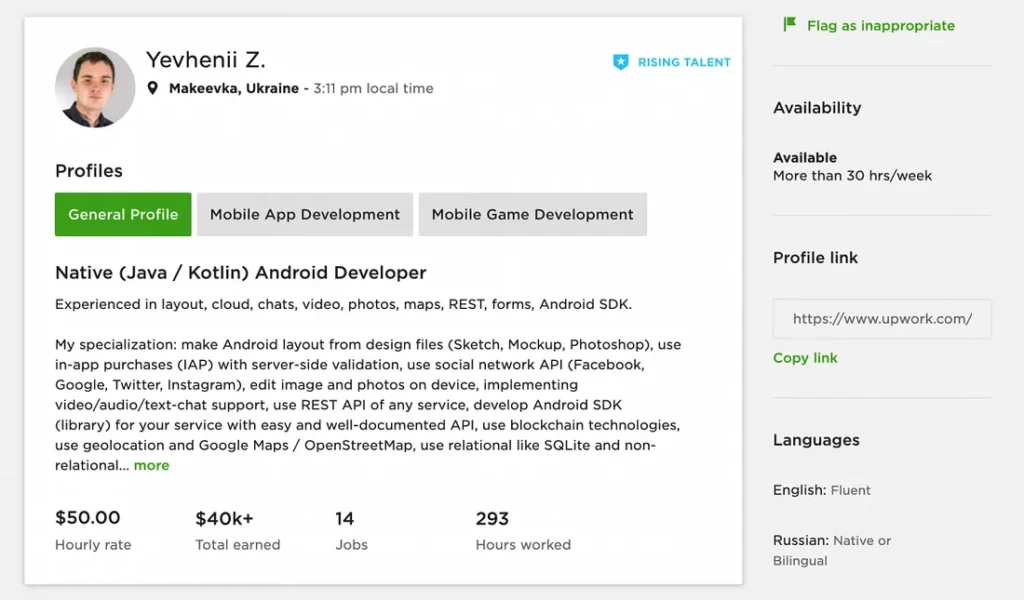
If there’s one thing worth your time before anything else, it’s your profile. Upwork’s search algorithm works similarly to Google — it surfaces freelancers based on keyword relevance, profile completeness, and engagement signals.
To optimize your Upwork profile for inbound invites, focus on these areas:
Your Title (Headline) This is the first line clients see in search results. It needs to be specific, keyword-rich, and outcome-focused. Vague titles like “Freelance Writer” get ignored. Specific ones get clicks.
Some of the best Upwork profile headline examples for beginners include:
- “SEO Blog Writer for SaaS & Tech Brands | 2,000+ Articles Delivered”
- “Shopify Store Designer | Conversion-Focused UI for eCommerce Brands.”
- “LinkedIn Ghostwriter for Executives | B2B Content That Builds Authority”
Notice the pattern: niche + outcome + (optionally) a proof point. Even if you’re just starting, you can use a niche and a value promise. You don’t need 500 completed jobs to write a strong headline.
Your Overview (Bio) Upwork indexes this text. Use your primary and secondary keywords naturally within the first 300 words. Lead with who you help, what problem you solve, and why you’re good at it. Avoid generic phrases like “passionate professional” or “hard worker.” These are noise. Clients skim — give them something specific fast.
Skills Tags: You can add up to 15 skills. Use all 15. Mix broad terms (e.g., “Content Writing”) with specific ones (e.g., “B2B SaaS Blog Writing,” “Email Marketing Copy”). This is how Upwork decides which searches to surface you in.
Portfolio: Even without paid Upwork jobs, you can upload work samples directly. If you’re new, create spec pieces — a sample blog post, a mockup landing page, a made-up brand’s social media strategy. Clients browsing profiles want to see the quality of your work before they ever talk to you.
2. Earn the Rising Talent Badge
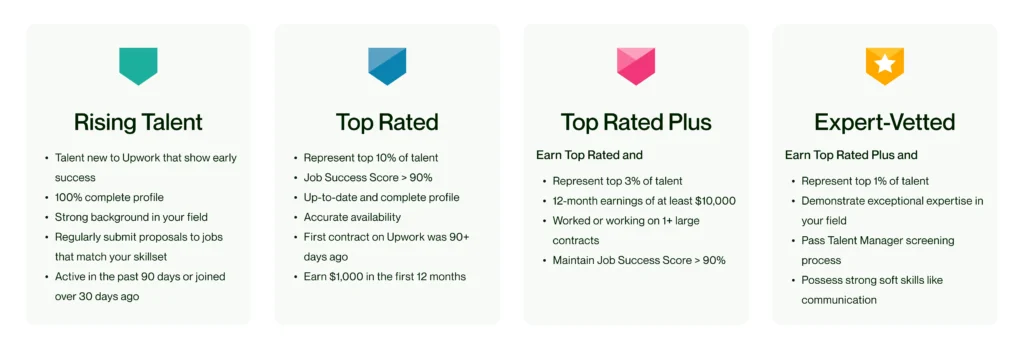
The Rising Talent badge is Upwork’s way of flagging newcomers who show early promise. It’s assigned automatically based on profile completeness, responsiveness, and early job performance — but knowing what triggers it helps you move faster.
Upwork Rising Talent badge tips that actually work:
- Complete every profile section: photo, bio, skills, education, certifications, portfolio, and hourly rate
- Add a profile video (Upwork strongly favors profiles with videos — it lifts your visibility significantly)
- Respond to any messages within a few hours, even if it’s just to say you’ll follow up in more detail soon.n
- Accept your first few jobs at a competitive rate and deliver early — Upwork rewards positive early job scores heavily
Once you earn the badge, your profile starts appearing in curated client-facing sections of the platform. Clients actively browsing talent in your category will see you without you doing anything further. That’s passive discoverability — and it costs zeclickscts.
3. Use the Upwork Project Catalog to Get Clients Without Bidding
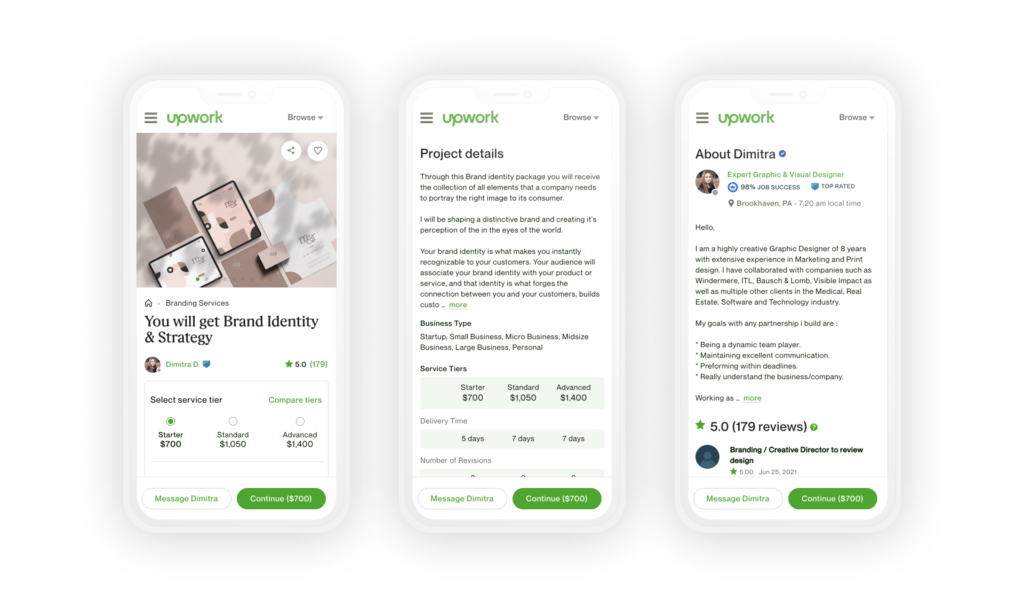
The Project Catalog is one of the most underused features on the platform — and for beginners, it might be the single best tool for landing work without connects.
Here’s how it works: instead of you applying to a client’s job, you list a packaged service with a fixed price and a defined deliverable. Clients browse the catalog like a marketplace, pick a listing they like, and buy directly. No connections required on your end. No proposal needed.
Upwork Project Catalog tips for beginners:
- Niche your offering tightly. “Social Media Management” is too broad. “Instagram Reels Scriptwriting for Fitness Coaches — 4 scripts/week” is the kind of listing that converts because it speaks directly to a specific buyer.
- Price your entry offer attractively. Your first catalog listing should be priced to get that first purchase, not to maximize income. A $50 or $75 starter package gets you a review. That review compounds.
- Write your listing like a sales page. Lead with the outcome the client gets. Bullet the deliverables clearly. End with who it’s for — because specificity builds buyer confidence.
- Use all three catalog tiers. If the format allows Basic / Standard / Premium pricing, fill all three. It anchors perceived value and often pushes clients toward the middle tier.
Once a client purchases your catalog item, you’ve been hired. You haven’t bid on anything, spent any contacts, or competed with 50 other proposals. This is how to use Upwork Project Catalog to get clients without bidding — and it works.
4. Get Direct Messages From Clients by Ranking Higher in Search
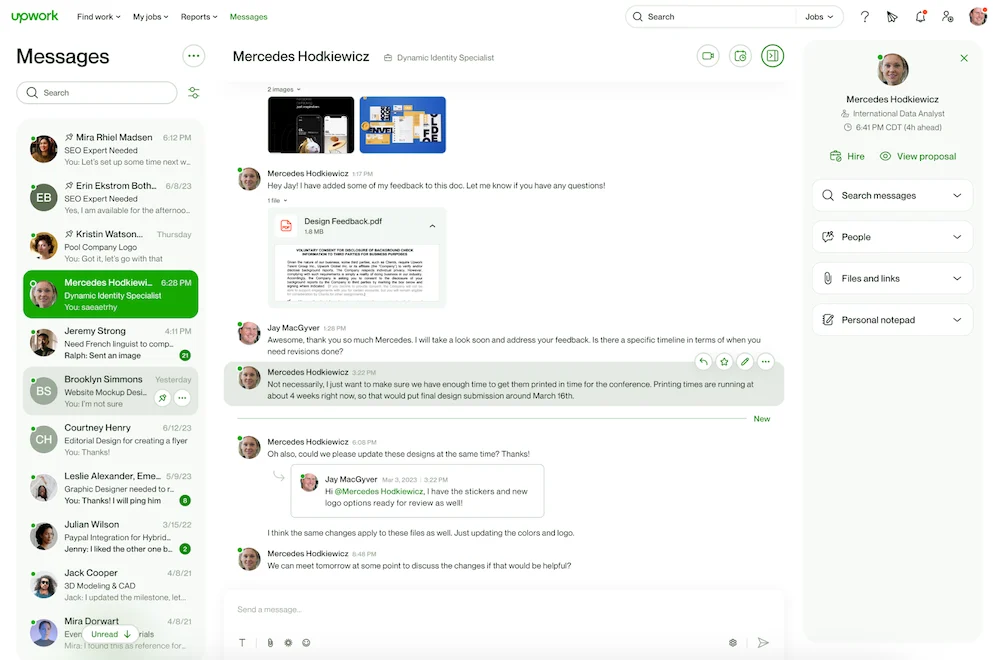
Upwork has an internal search engine that clients use to find and directly message freelancers — especially for smaller or urgent jobs where they don’t want to post a full listing and wait for applications.
How to rank higher in Upwork search and attract those messages:
- Keep your profile public and set to “Available.” Sounds obvious, but a lot of freelancers flip to “Not Available” between projects and forget to switch back. Upwork deprioritizes unavailable profiles in search.
- Log in regularly. Activity signals matter. Logging in daily — even briefly — keeps your profile fresh in Upwork’s algorithm.
- Use JSS (Job Success Score) strategically. You don’t have one yet as a beginner, but when you do, protecting it matters. A 90%+ JSS is a top-3 ranking factor.
- Get your profile to 100% completion. Upwork literally shows you a completion percentage. A profile at 85% ranks measurably lower than one at 100%. Fill every field.
When your profile ranks well, and your availability is on, clients will find you and message you directly. That’s how to get direct messages from clients on Upwork — it’s not luck, it’s optimization.
5. How to Get Upwork Job Invitations Organically
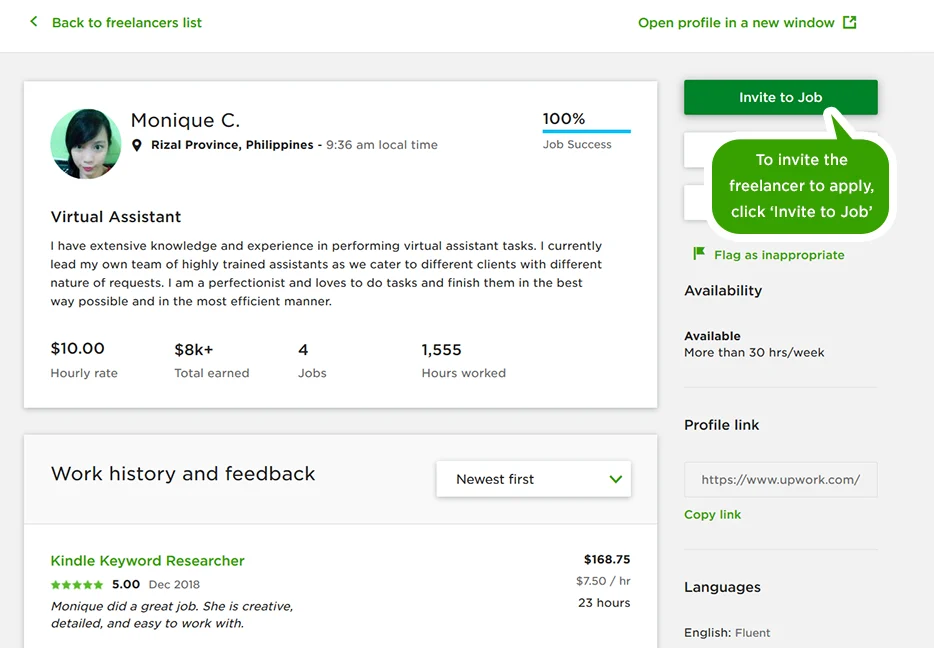
Job invitations are messages from clients asking you to apply to their job. You still spend connections to submit the resulting proposal, but being invited has a massive advantage: your proposal is flagged as “Invite,d” and clients often review those first.
More importantly, some clients send invitations and don’t require connections from the recipient. These are golden.
How to get Upwork job invitations organically:
- Niche down visibly. Generalists get fewer invitations because clients searching for a “Facebook Ads Specialist for DTC eCommerce” won’t invite a “Digital Marketing Freelancer.” Matching the client’s mental model of who they need is key.
- Use your bio to describe the exact kind of client you work with. Phrases like “I work with early-stage SaaS founders” or “I help Shopify stores under $1M in revenue” act as magnets — the right clients read that and immediately feel like you’re speaking to them.
- Keep your portfolio updated with recent, relevant work. Invitations often follow a client browsing your portfolio and thinking, “This person gets what I need.”
- Respond fast when you are invited. Upwork tracks your invitation acceptance and response rate. A poor rate hurts your discoverability.
6. How to Get Upwork Clients with Zero Reviews
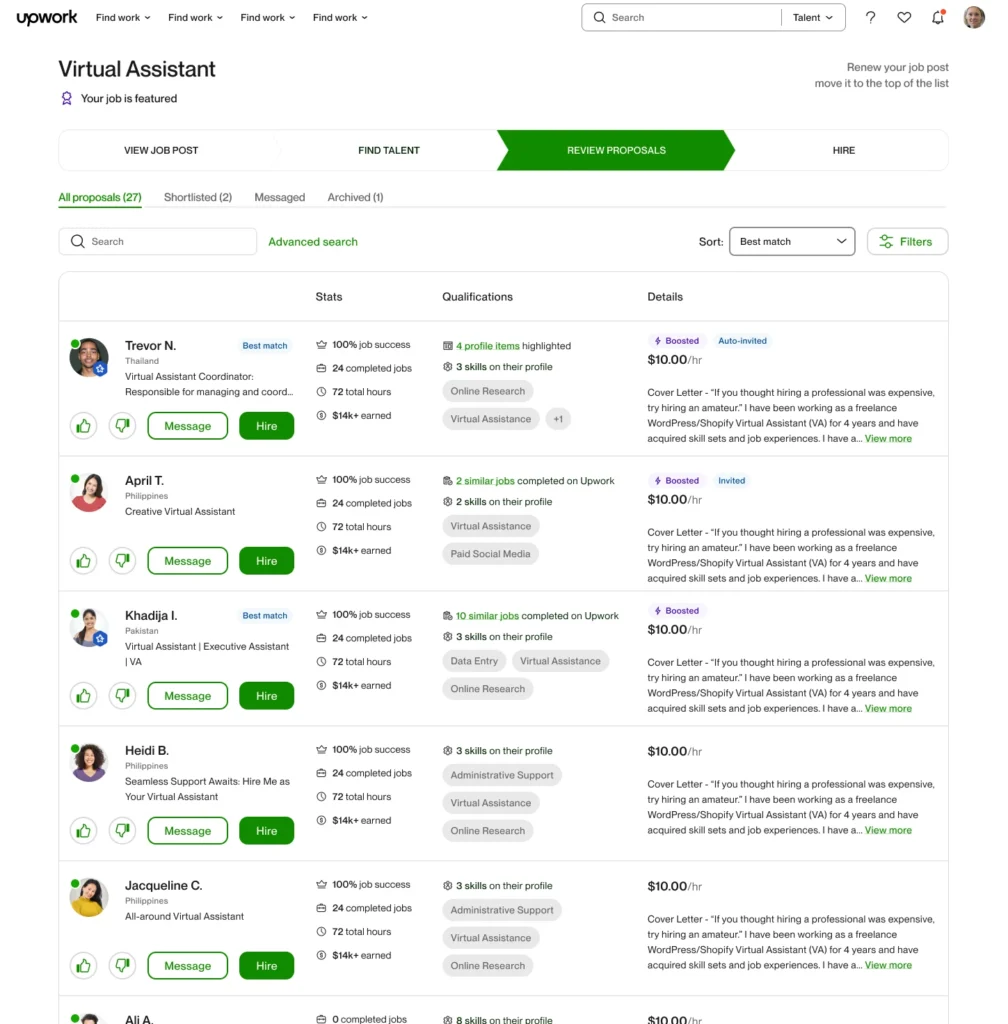
The zero-review catch-22 is real: clients want to hire freelancers with reviews, but you can’t get reviews without being hired first. Here’s how to break the loop without connecting.
Leverage the Project Catalog for your first review. As mentioned, clients can purchase directly. Deliver exceptional work on that first order and politely ask for a review. That single 5-star review changes how your profile looks to every future client.
Offer a “pilot” framing. In any communication (whether through a direct message or an invitation response), position your first project as a low-risk trial: “I’d love to start with a smaller piece so you can see my process and quality firsthand before committing to a larger scope.” This lowers the psychological barrier for clients nervous about hiring someone new.
Highlight non-Upwork credibility. If you’ve done work outside Upwork — even unpaid, for friends, or for personal projects — that still counts as evidence. Mention it in your bio. Link to it in your portfolio. The client’s goal is confidence, and confidence can come from many sources.
7. How to Get Clients from Upwork Through Profile Shares and External Traffic
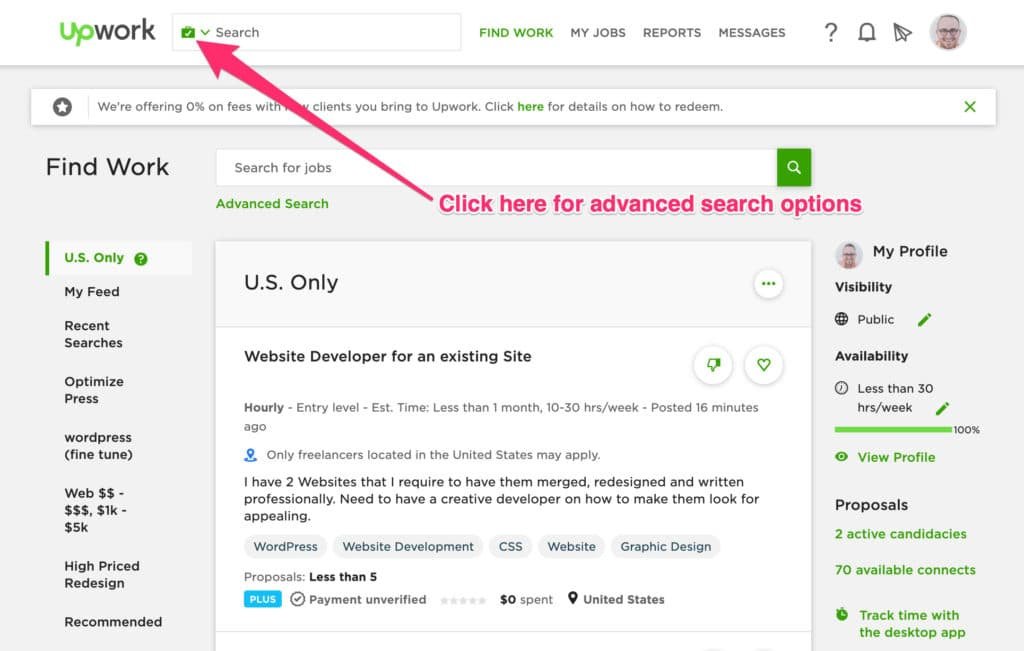
Here’s a tactic most freelancers skip entirely: Upwork gives every freelancer a shareable profile URL. That URL is indexable by Google and can be shared anywhere online.
Where to share your Upwork profile:
- Your LinkedIn “Featured” section and About bio
- Your email signature
- Relevant Reddit communities (e.g., r/forhire, niche subreddits where your target clients hang out — share helpfully, not spammily)
- Your personal website or portfolio site
- Twitter/X or Threads if you create content in your niche
When someone clicks that link and views your profile, it registers as a profile visit. Enough external traffic to your profile can actually boost your internal Upwork search ranking. And if a visitor has an Upwork account, they can message you or purchase your catalog item directly.
Putting It All Together: Your 30-Day No-Connects Action Plan.

If you’re starting from zero today, here’s what to prioritize:
Week 1: Complete your profile to 100%. Write a sharp, keyword-specific headline. Add 3 portfolio samples (real or spec). Enable availability.
Week 2: Create your first Project Catalog listing. Niche it tightly. Price it to attract your first buyer, not to maximize your rate.
Week 3: Share your Upwork profile on LinkedIn and in two or three relevant online communities. Write a post that demonstrates expertise — don’t just drop a link.
Week 4: Review your profile analytics inside Upwork. Check how many people viewed your profile and how you appear in searches. Adjust your skills tags and bio based on what’s underperforming.
By the end of the month, you should have your first catalog purchase, at least one organic profile view surge, and a meaningful uptick in invitation messages — all without spending connects.
Final Thoughts
Getting clients on Upwork without connects isn’t a workaround — it’s a smarter approach to the platform than most people take. Proposals are reactive. Inbound discovery is scalable. When your profile is properly optimized, your catalog is live, and your visibility is dialed in, clients come to you.
That’s the shift worth making. Start there, and the connections become secondary.
